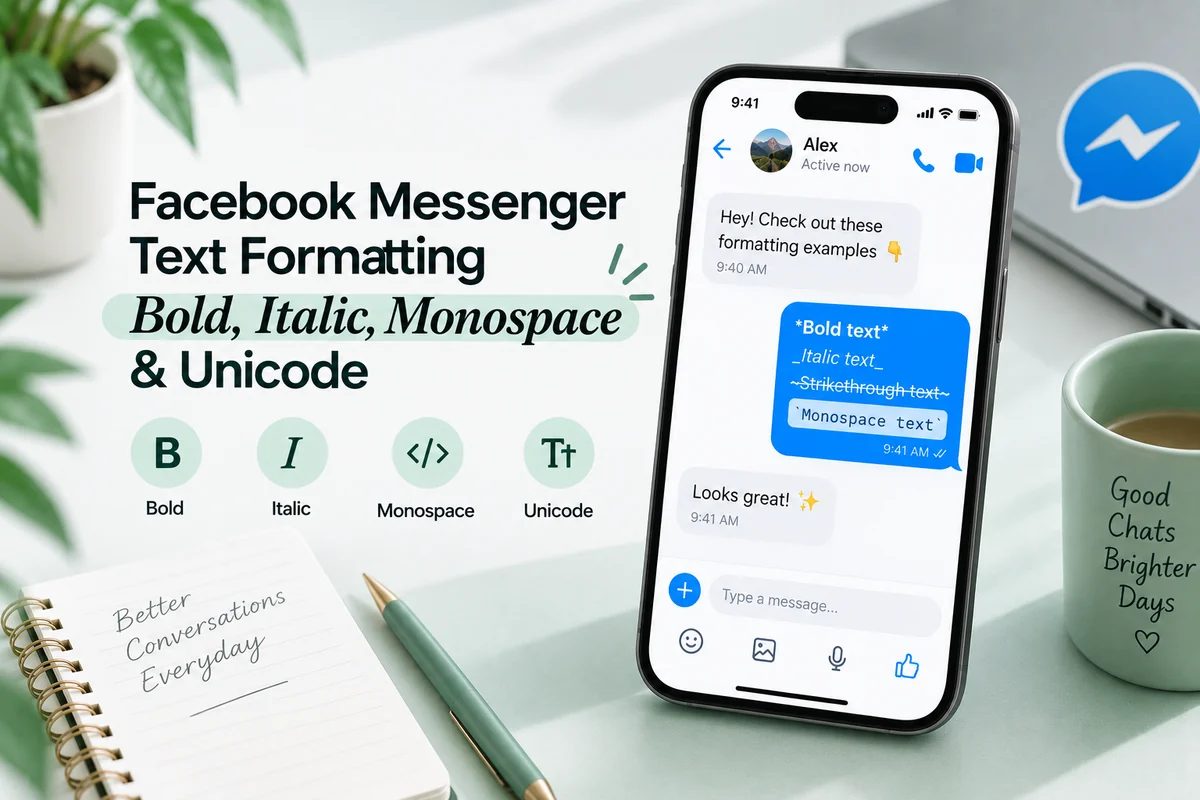
WhatsApp has native italics, so use them. Wrap a phrase in underscores and it sends as italic, or select the words and pick Italic from the formatting menu. Asterisks give bold, tildes give strikethrough, three backticks give monospace.
The honest answer to “should I use a Unicode generator on WhatsApp” is therefore no, for messages. There are exactly four fields where it becomes yes, and they are all on your profile rather than in a chat.
What WhatsApp formats natively
| Style | Type this |
|---|---|
| Bold | *bold* |
| Italic | _italic_ |
| Strikethrough | ~struck~ |
| Monospace | ```mono``` (three backticks each side) |
| Inline code | `code` (one backtick each side) |
| Block quote | > quoted line |
| Bulleted list | - item |
| Numbered list | 1. item |
Two markers get confused constantly. Three backticks give you a monospace block; one backtick gives you inline code, which draws a highlighted background behind the text rather than only changing the face. They are different effects and both are useful.
There is no underline. That gap is the single most common reason WhatsApp users go looking for a text generator, and the answer to it is combining marks rather than substituted letters, which is a different mechanism entirely and covered in how underline and strikethrough actually work.
The formatting menu is easier than the markers
Typing markers is fine on a keyboard. On a phone it is fiddly, and there is a better route.
Long press a word, drag the handles to cover the phrase you want, then pick the style. On Android the options sit behind the three dot control in the selection popup; on iPhone they appear in the selection menu directly. WhatsApp Web and the desktop apps offer the same menu plus the usual Ctrl+B and Ctrl+I shortcuts.
The menu has one advantage the markers do not: you see the result before you send. If a message matters, use it.
Where native formatting cannot reach
| Field | Native formatting | Unicode | Recommended |
|---|---|---|---|
| Chat message | Yes | Yes | Native |
| Group message | Yes | Yes | Native |
| Media caption | Yes | Yes | Native |
| About (status line) | No | Yes | Unicode, short |
| Group name | No | Yes | Unicode, keep first word plain |
| Group description | No | Yes | Unicode, keep keywords plain |
| Your display name | No | Yes | Unicode, costs findability |
| Broadcast list name | No | Yes | Unicode, short |
| Status (the 24 hour kind) | Yes | Risky | Native, see below |
Those middle rows are plain string fields. Nothing you select there will style anything, because there is no formatting layer to apply. Converted characters are the only route, which is exactly why styled group names are so common.
Converting a group name, step by step
- Write the name in ordinary letters first and check the spelling. Once converted, autocorrect stops helping.
- Decide which part stays plain. The first word is the usual answer, because that is what you will type when searching for the group later.
- Convert the rest in the Italic Text Generator and copy it.
- Open the group, tap the name, and paste the converted part after the plain word.
- Check the chat list on your phone, then on WhatsApp Web if you use it.
Step four is the compromise that makes styled group names workable. Friday 𝑓𝑜𝑜𝑡𝑏𝑎𝑙𝑙 is still findable by typing “Friday”. 𝐹𝑟𝑖𝑑𝑎𝑦 𝑓𝑜𝑜𝑡𝑏𝑎𝑙𝑙 is not findable at all.
A caution about Status
WhatsApp Status renders text in its own display typeface, and that typeface does not always include the mathematical alphanumeric range. Script and fraktur styles in particular can fall back to boxes on some Android builds.
Status is time limited, so a rendering failure is a post you cannot fix and cannot see. Native formatting is available in Status text, so use it there and keep converted characters out.
Channels and Communities
Two newer surfaces behave differently from ordinary chats, and both are worth checking before you assume the rules above apply.
Channels are one way broadcast feeds. Channel updates are messages, so the native formatting markers work in them normally, and they should be used: a channel post is closer to publishing than to chatting, and bold acting as a heading does real work in a long update.
The channel name itself is a plain string like a group name, and it is the field people search when looking for a channel to follow. Styling it costs discoverability in exactly the place where discoverability is the point.
Communities group several chats under one umbrella. The community name and description are plain string fields, and the announcement group inside a community carries ordinary messages with full native formatting.
The rule that covers all of it is the same one from earlier in this guide, applied consistently: anything typed into a message box gets native formatting, anything that names a thing is a plain string where converted characters are the only option and the first word should stay plain so search still works.
Search inside chats is literal
WhatsApp search matches characters, not shapes. A group named in converted script will not be found by typing its plain name, and a message containing a converted phrase cannot be found by searching for that word.
This gets worse with time rather than better. It is a small annoyance in a fresh install and a genuine problem once you are in fifty groups and trying to find the one about the school trip. Anyone who has hit this on another chat app will recognise it: the Telegram guide covers the same failure on a platform with an even stronger formatting system.
Copy, paste and forwarding
Native formatting and converted characters behave differently once a message leaves the thread.
Natively formatted text keeps its markers when copied, so pasting a formatted WhatsApp message into an email gives you *bold* rather than bold. Forwarding inside WhatsApp preserves the rendering, because the receiving client parses the same markers.
Converted characters travel intact into anything, because the shape is carried by the characters themselves. That is genuinely useful when you want a phrase to look the same in a WhatsApp group and in a document. It is also why a converted phrase pasted into a form field, a search box or a booking site frequently gets rejected as invalid input.
Accessibility
Native italics are the accessible choice and it costs nothing to use them. WhatsApp renders them in its own typeface, the underlying letters stay ordinary letters, and a screen reader receives words.
Converted characters are separate Unicode characters. Depending on the reader and its verbosity setting they can be announced one at a time using full character names, read as unrecognised symbols, or skipped entirely. A converted group name is the worst case, because it is announced on every notification from that group rather than once.
Since WhatsApp gives you a native option in every message field, there is no situation where converting a message is the accessible choice. Keep conversion for the four profile fields, and keep it short. What screen readers really announce covers the readers individually.
Try it in a note to yourself
WhatsApp lets you message your own number, which makes a private test chat.
- Send
_italic_,*bold*,~struck~and a three backtick monospace line. - Send the same phrases again using the selection menu instead of typing markers.
- Search that chat for a word inside the italic phrase. It will be found, because the letters are still letters.
- Now paste a converted phrase and search for that word. It will not.
- Rename a test group with a converted phrase and check how it reads in your chat list.
Steps three and four take twenty seconds and settle the whole native versus Unicode question for good.
Troubleshooting
Underscores appear instead of italics. A space slipped inside the markers, or one marker was never closed. _ italic _ fails, _italic_ works.
Monospace did nothing. Monospace needs three backticks on each side. One backtick gives inline code instead, which is a different effect.
A hyphen at the start of a line turned into a bullet. That is the list shortcut. Put a word before the hyphen or use a different character.
Formatting vanished when I forwarded a message. It should survive a forward inside WhatsApp. If it did not, the text was pasted from somewhere that stripped the markers rather than typed in the composer.
A converted group name shows as boxes for one member. Their device lacks a font covering that Unicode block, which is most common on older Android builds. Rename it in plain characters if anyone reports it.
A converted phrase was rejected by a form. Many input fields validate against a restricted character set. Retype it in ordinary letters.
Questions people ask about WhatsApp text
How do you italicize on WhatsApp? Underscores immediately around the words, or select the phrase and choose Italic from the formatting menu. Both work on Android, iPhone, Web and desktop.
Can you italicize a group name? Not natively. Group names, descriptions, your About line and your display name are plain strings, so converted characters are the only route.
Why do my underscores show up? A space inside the markers, or an unclosed marker. They have to touch the text.
Does WhatsApp have underline? No. The native set is bold, italic, strikethrough, monospace, inline code, quotes and lists.
Will a styled group name be found by search? No. Search matches literal characters. Keep the first word plain so you can still find the group.
The middle path
Use the shortcut or the menu for emphasis inside conversations, because that is what they are for and it costs you nothing in search, editing or accessibility. Reach for conversion only in the four profile fields that have no formatting layer, keep the first word of any group name plain, and stay away from converted characters in Status where rendering is least predictable.
Formatting options described here reflect WhatsApp on Android, iPhone, Web and desktop as of September 2026, summarised from SendPulse’s WhatsApp formatting guide.